Features
Everything DigiSell does, and why it matters
A point of sale for the counter and a back office for the business, sharing one set of products, prices, stock and staff. Every feature below is available in DigiSell today.
Point of Sale
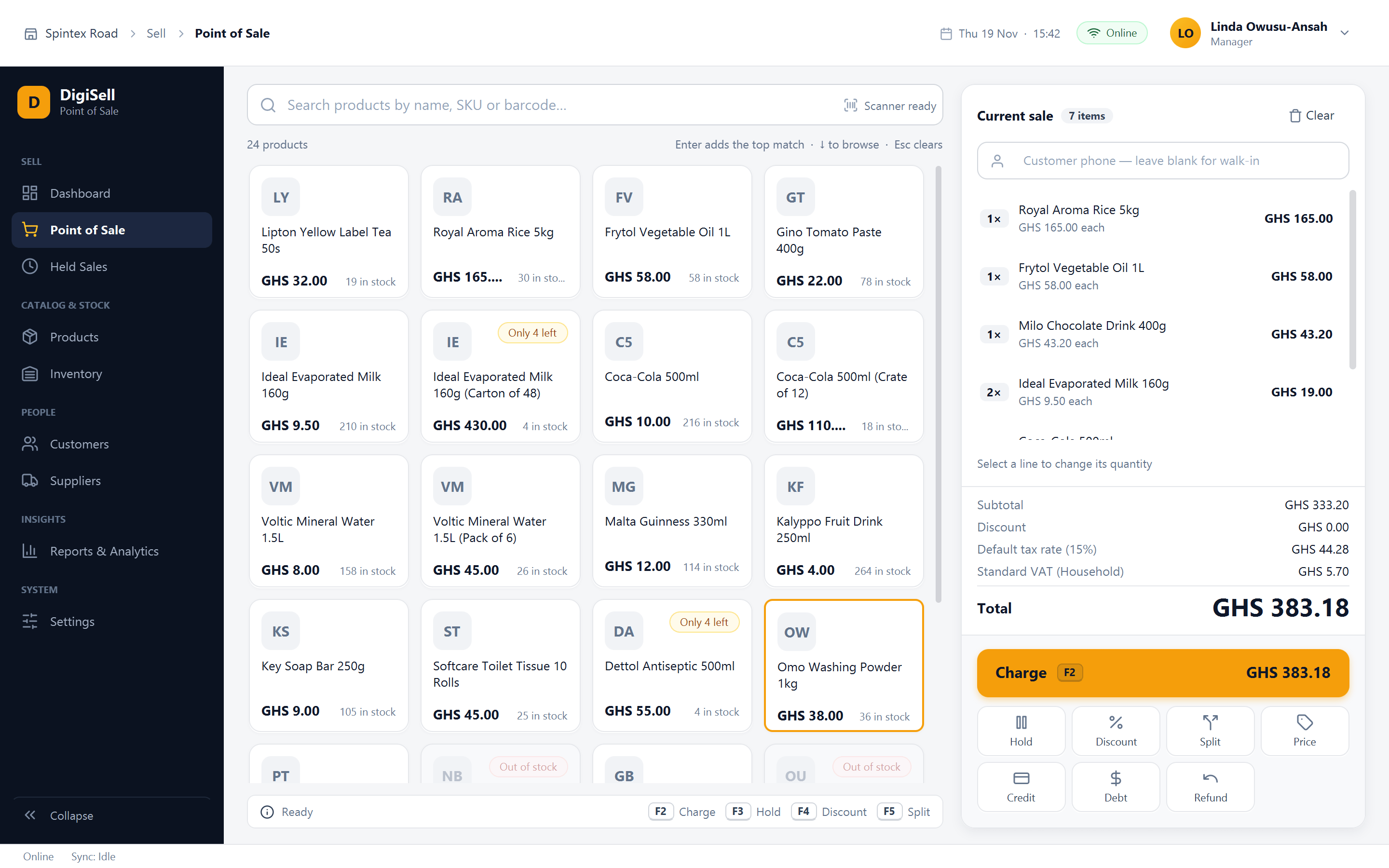
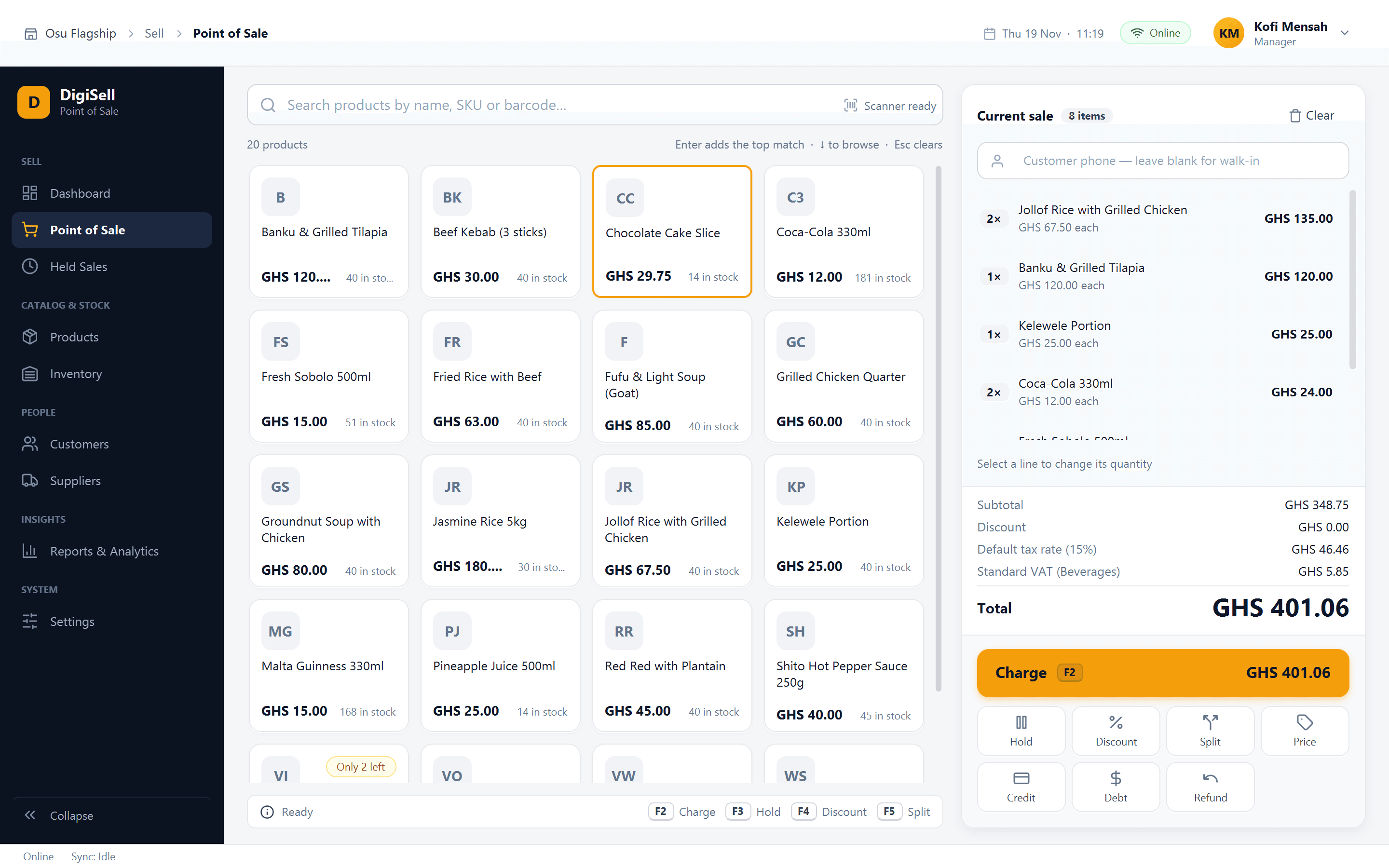
A Windows till for the counter: tap a tile, search, or scan a barcode to build the basket, then charge.
Why it matters: Serve customers faster with fewer mistakes, even when the internet is down.
- Product tiles with stock shown on each item; search by name, SKU or barcode
- Packs and cartons sold at their own price and barcode
- Cash, mobile money and card, or one bill split across them
- Hold and resume sales; refunds recorded against the original sale
- Discounts above a limit need a manager's PIN
- Prints to 58 mm and 80 mm receipt printers and opens the cash drawer
- Keeps selling offline and syncs when the connection returns
Sales Management
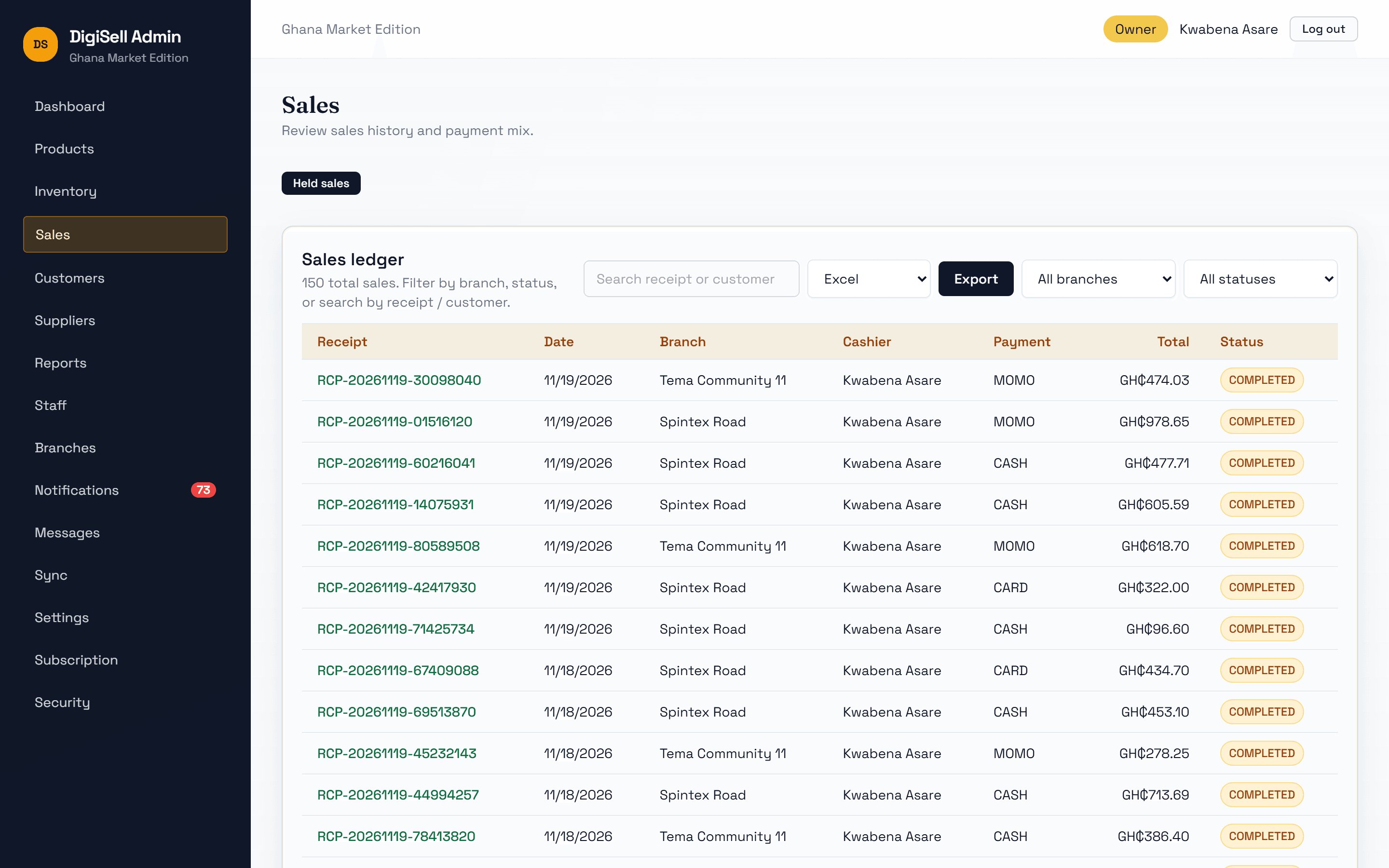
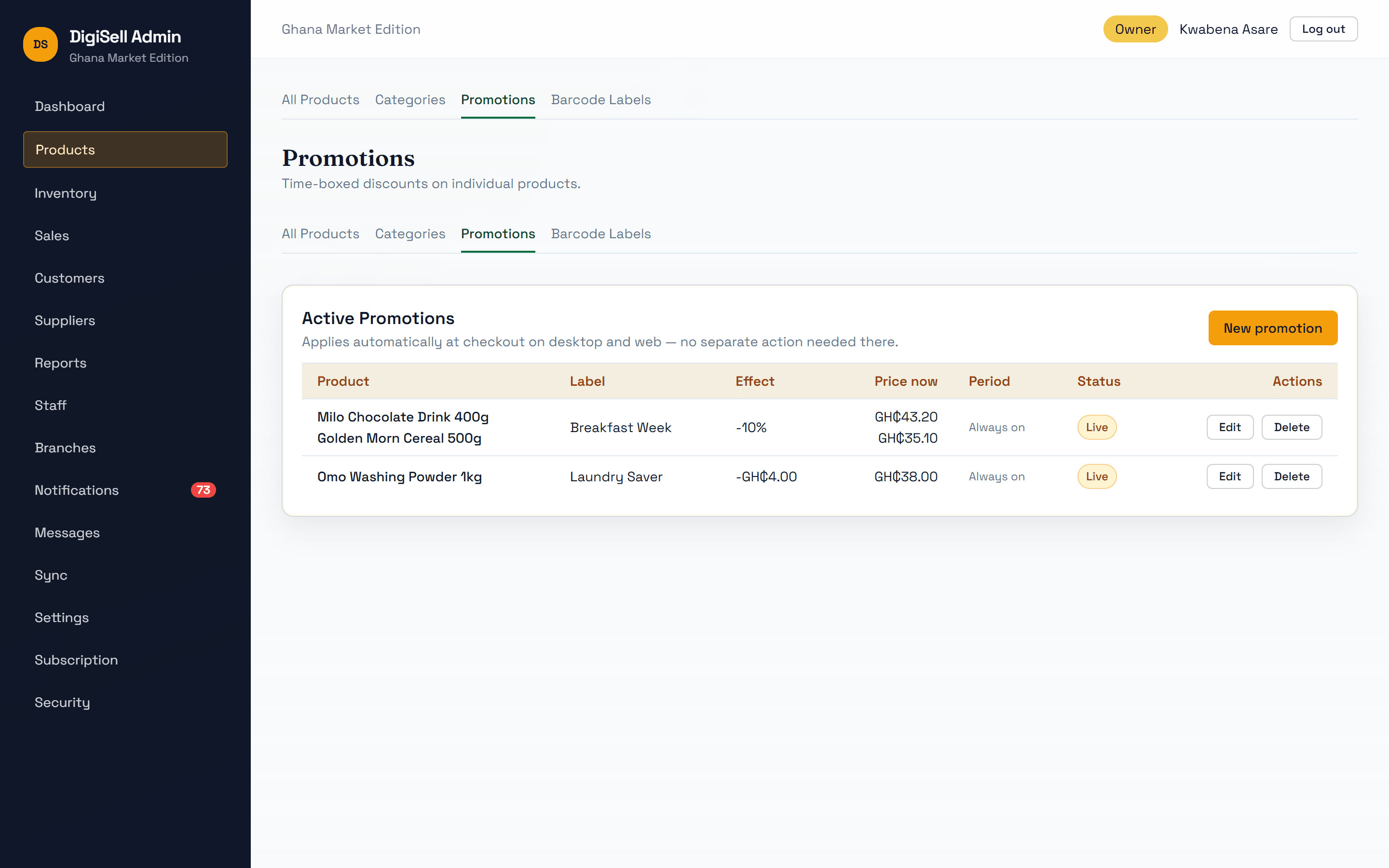
Every sale from every till and branch in one ledger, with promotions that apply themselves.
Why it matters: Know exactly what was sold, by whom, and how it was paid for.
- Sales ledger with receipt number, branch, cashier, payment method and status
- Filter by branch or status, search by receipt or customer, export to Excel
- Percentage or fixed-amount promotions, with start and end dates, applied automatically at every till
- Held sales, refunds and credit sales tracked in the same place
Inventory Management
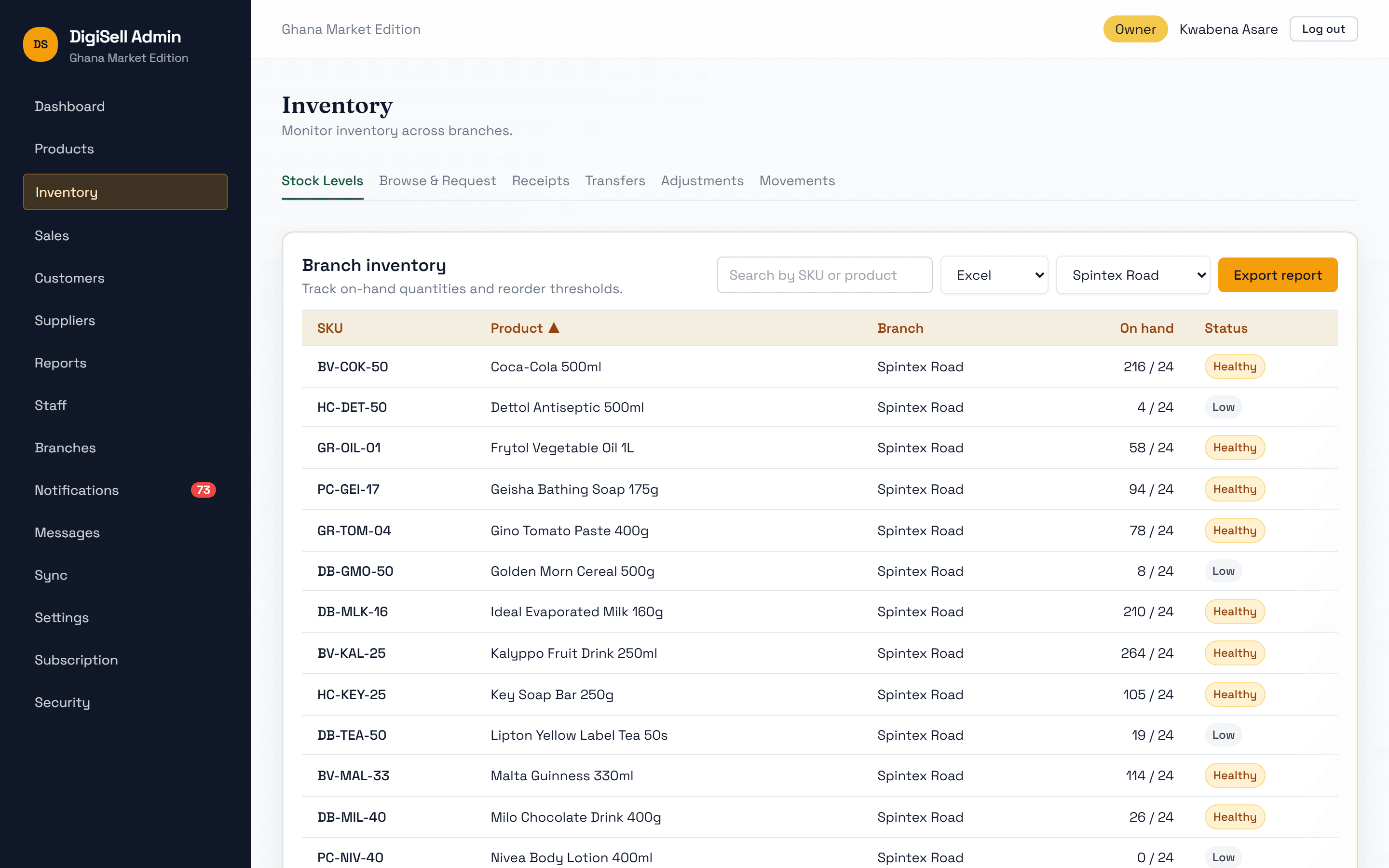
Stock kept per branch, updated by every sale, delivery, transfer and adjustment.
Why it matters: Stop running out of best sellers and stop over-ordering slow ones.
- On-hand and available quantity per branch against its own reorder level
- Low-stock alerts on the dashboard and at the till
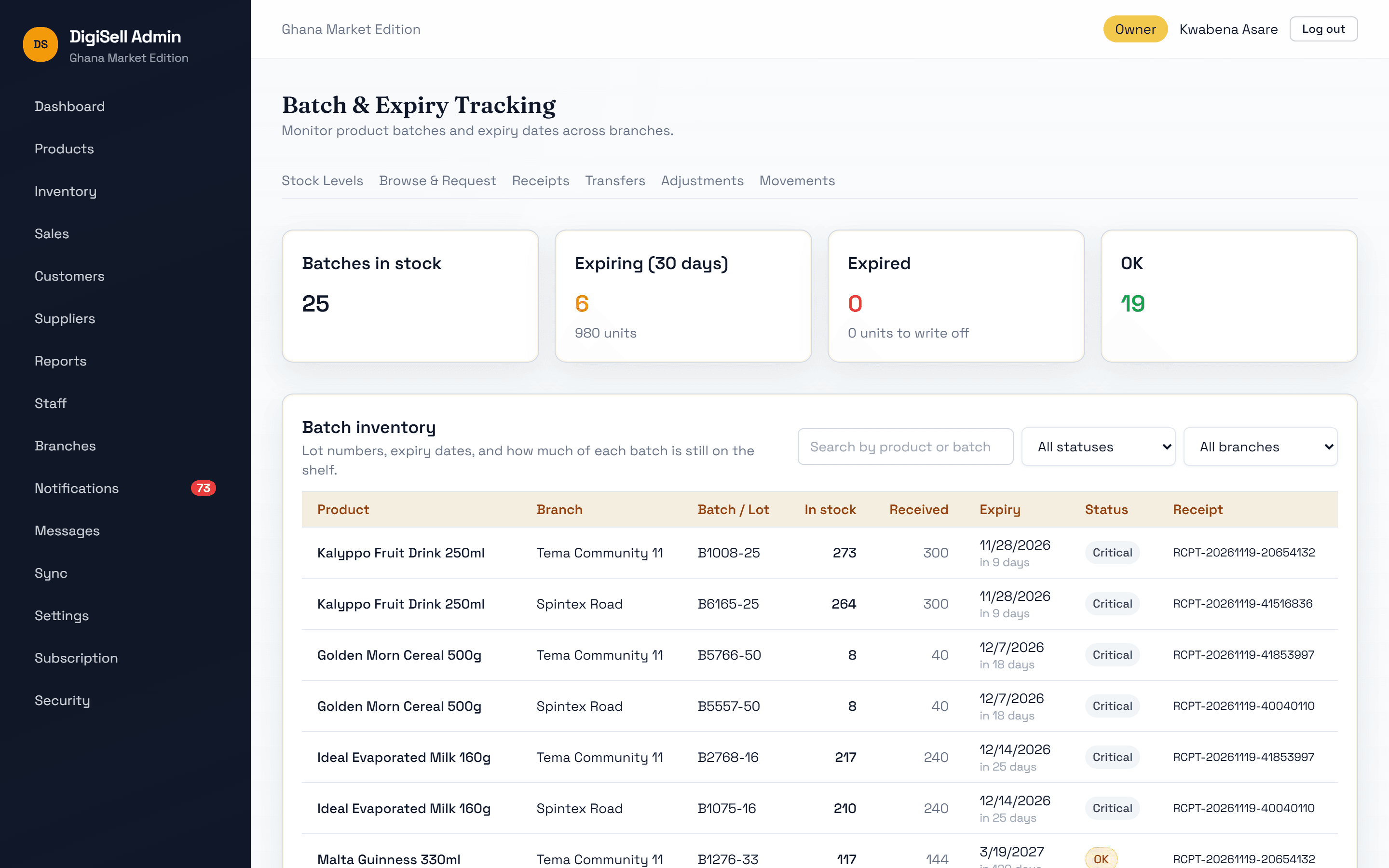
- Batch numbers and expiry dates recorded on delivery; batches expiring in 30 days and expired stock flagged
- Stock requests and transfers between branches
- Adjustments for damage or counts, with approval where you need it
- A full movement history: who changed what, and when
Product Management
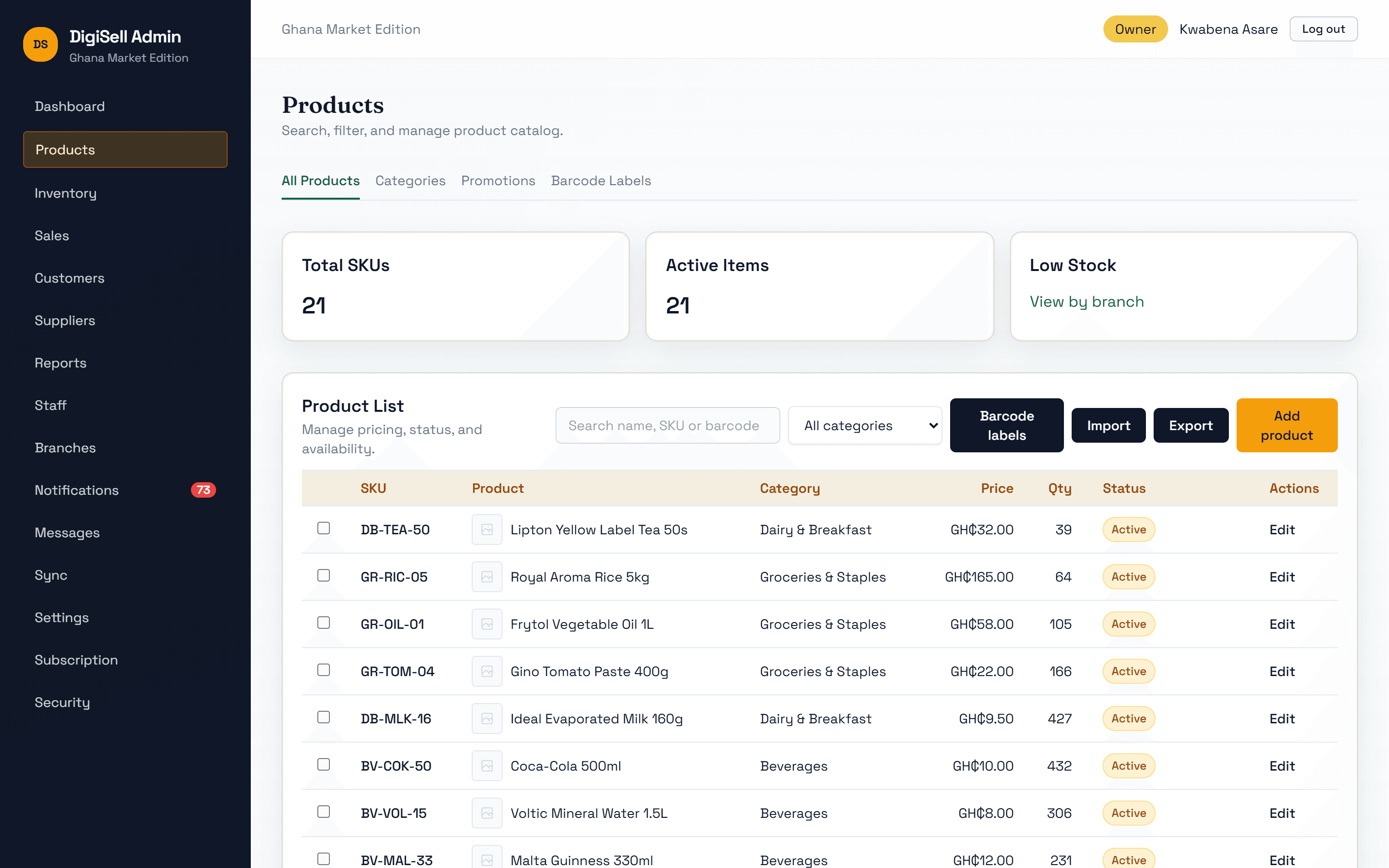
One catalogue for the whole business: prices, costs, categories, barcodes, packs and images.
Why it matters: Change a price once and every till charges it.
- Products with SKU, barcode, category, selling price, cost price and image
- Categories to organise the catalogue and drive tax and reports
- Packs (crate, carton, pack of 6) with their own price and barcode
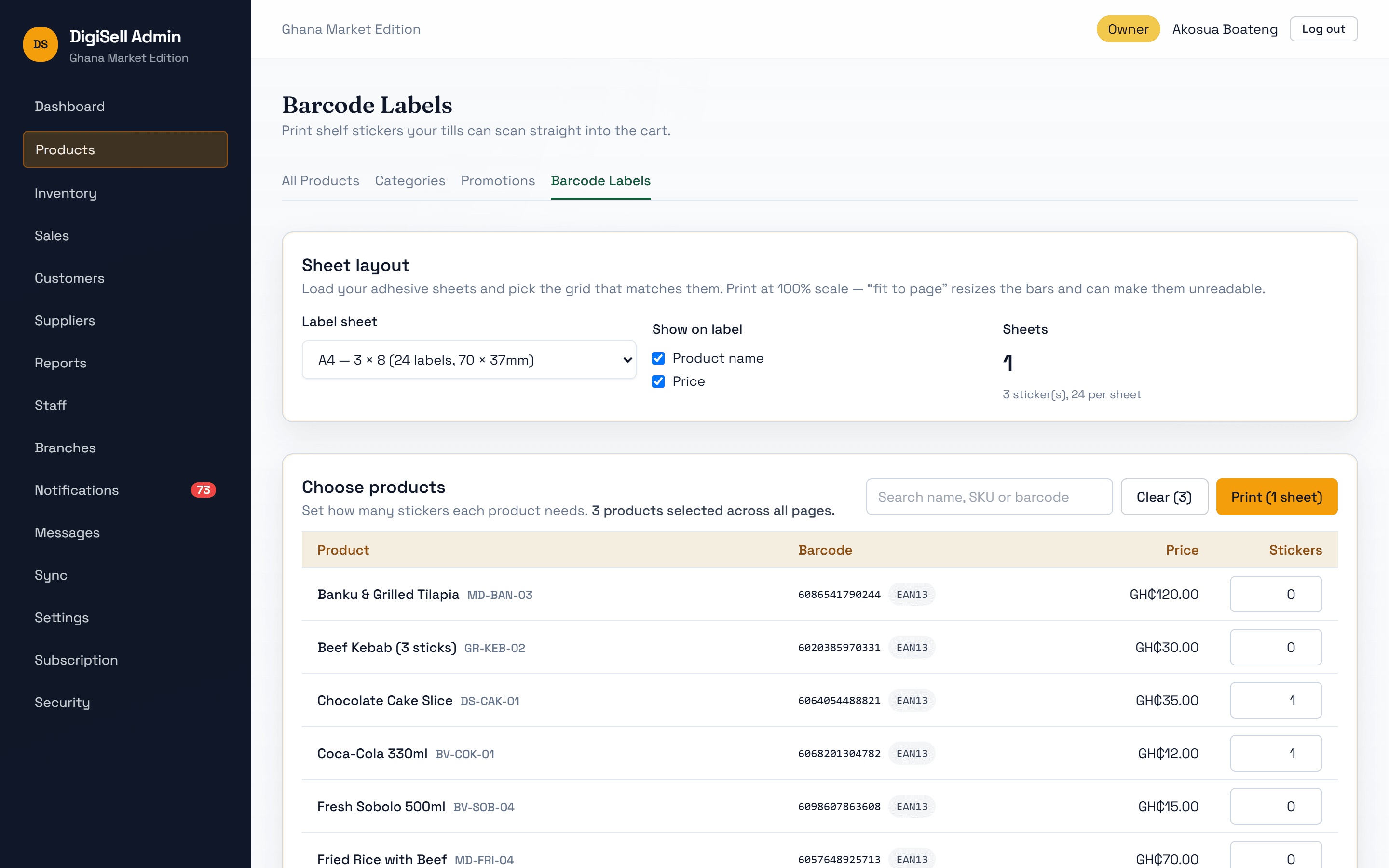
- Barcodes issued for items without one, and labels printed on standard sticker sheets
- Import and export the catalogue as CSV
Customer Management
Customer profiles with purchase history, loyalty and credit.
Why it matters: Reward your regulars and keep credit under control.
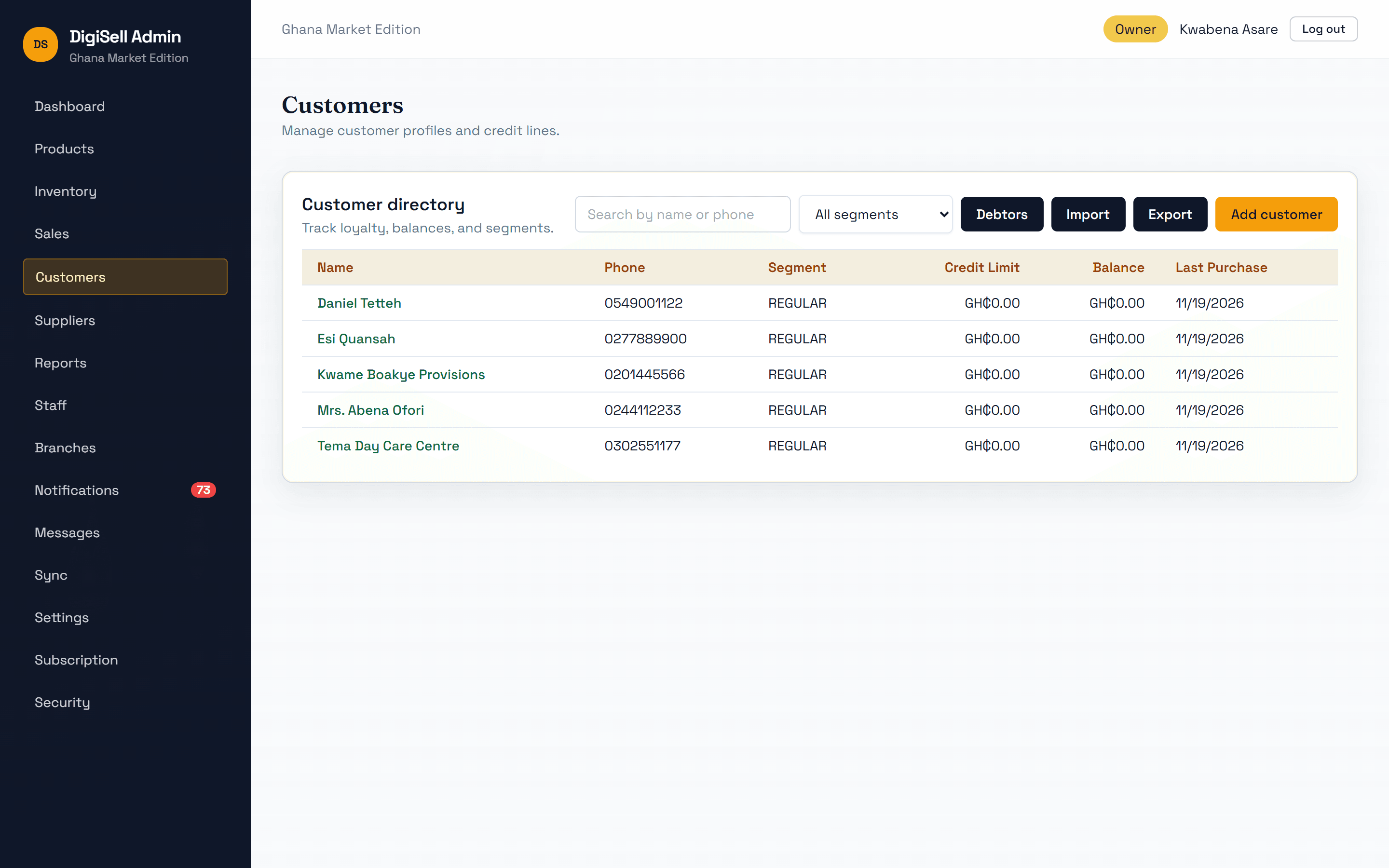
- Customer directory with phone, segment, credit limit, balance and last purchase
- Customers found at the till by phone number
- Loyalty points, with tier discounts applied at the till
- Credit sales for approved customers, with a debtors list and balances
- Import and export customers
Suppliers & Purchasing
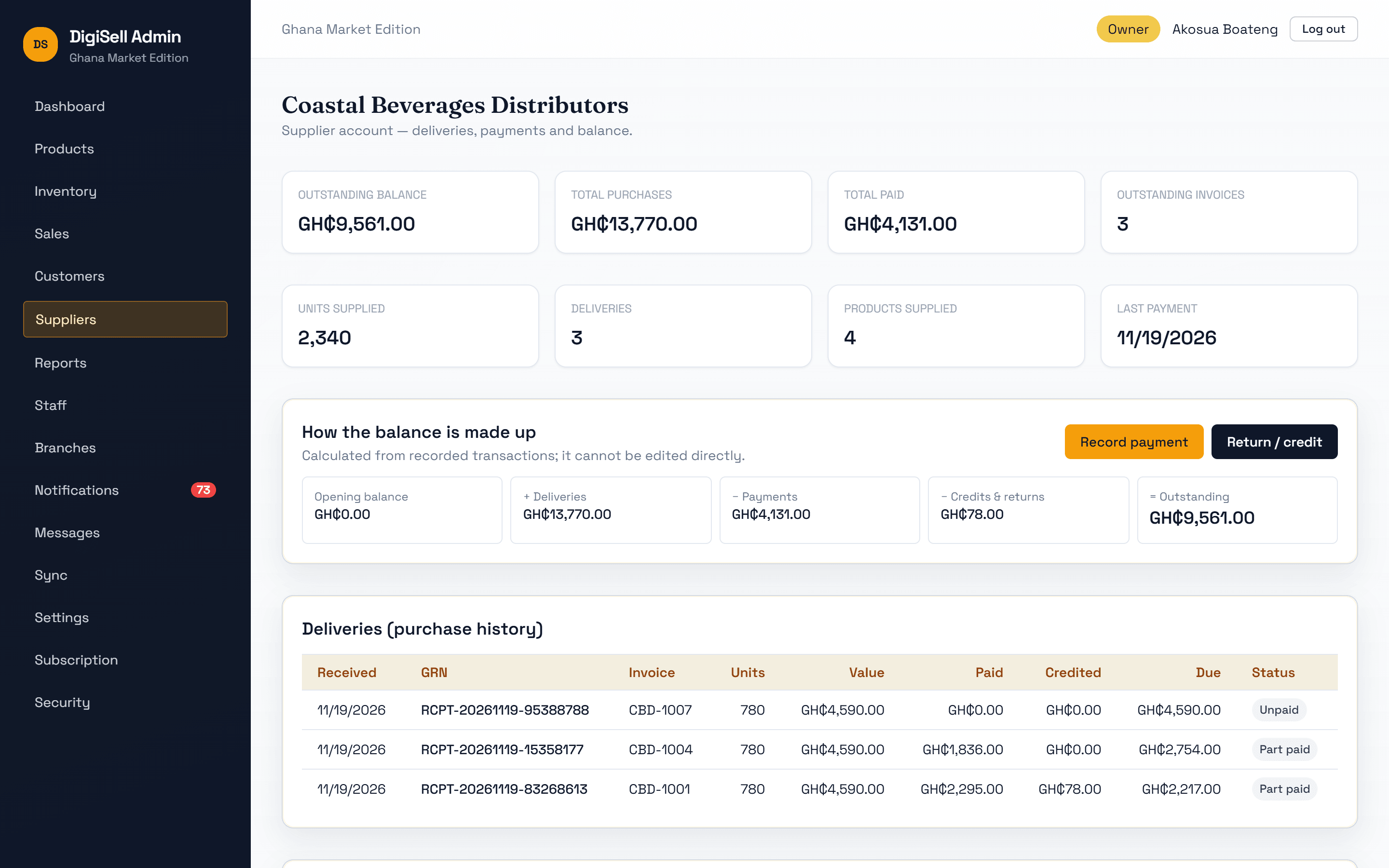
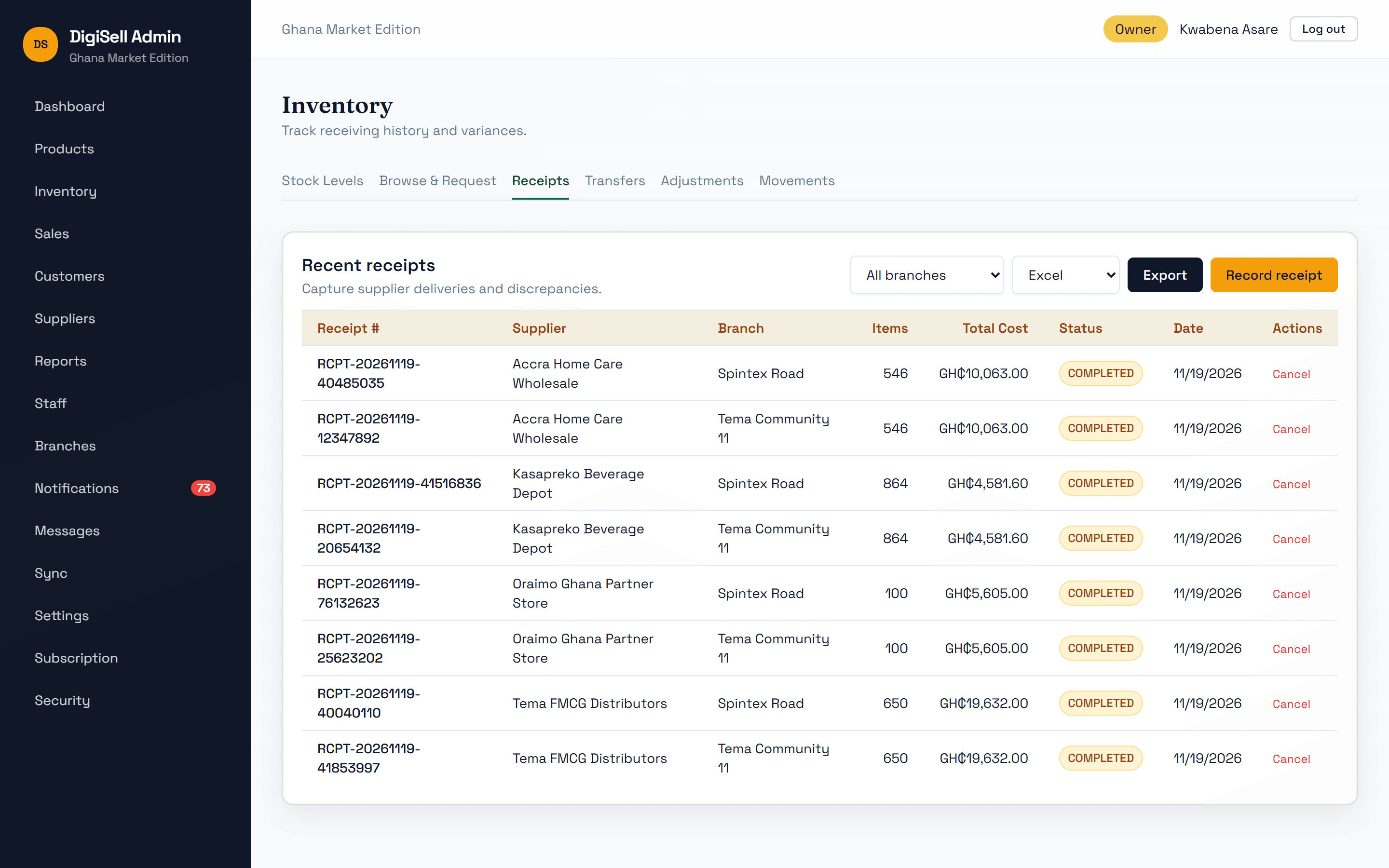
Record what each supplier delivered, what it cost and what you have paid.
Why it matters: Always know what you owe, to whom, and for which delivery.
- Supplier records with contacts, products supplied and outstanding balance
- Goods received per branch with the supplier's invoice number; stock updates immediately
- Full or partial payments by cash, mobile money, bank transfer or cheque
- Returns and supplier credit notes adjust stock and balance together
Multi-Branch
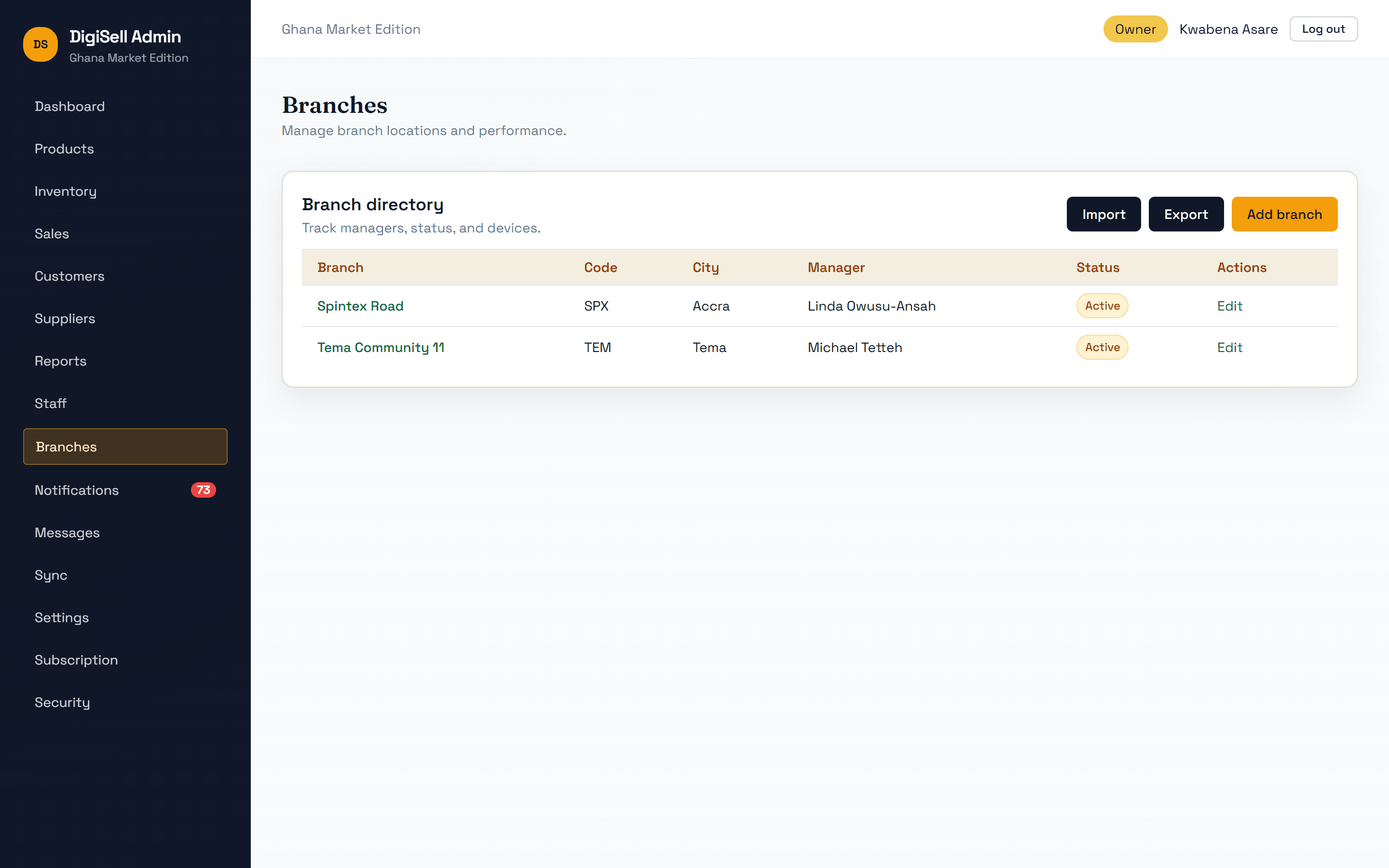
Run several locations from one account, each with its own manager, staff, tills and stock.
Why it matters: Grow to more locations without losing sight of any of them.
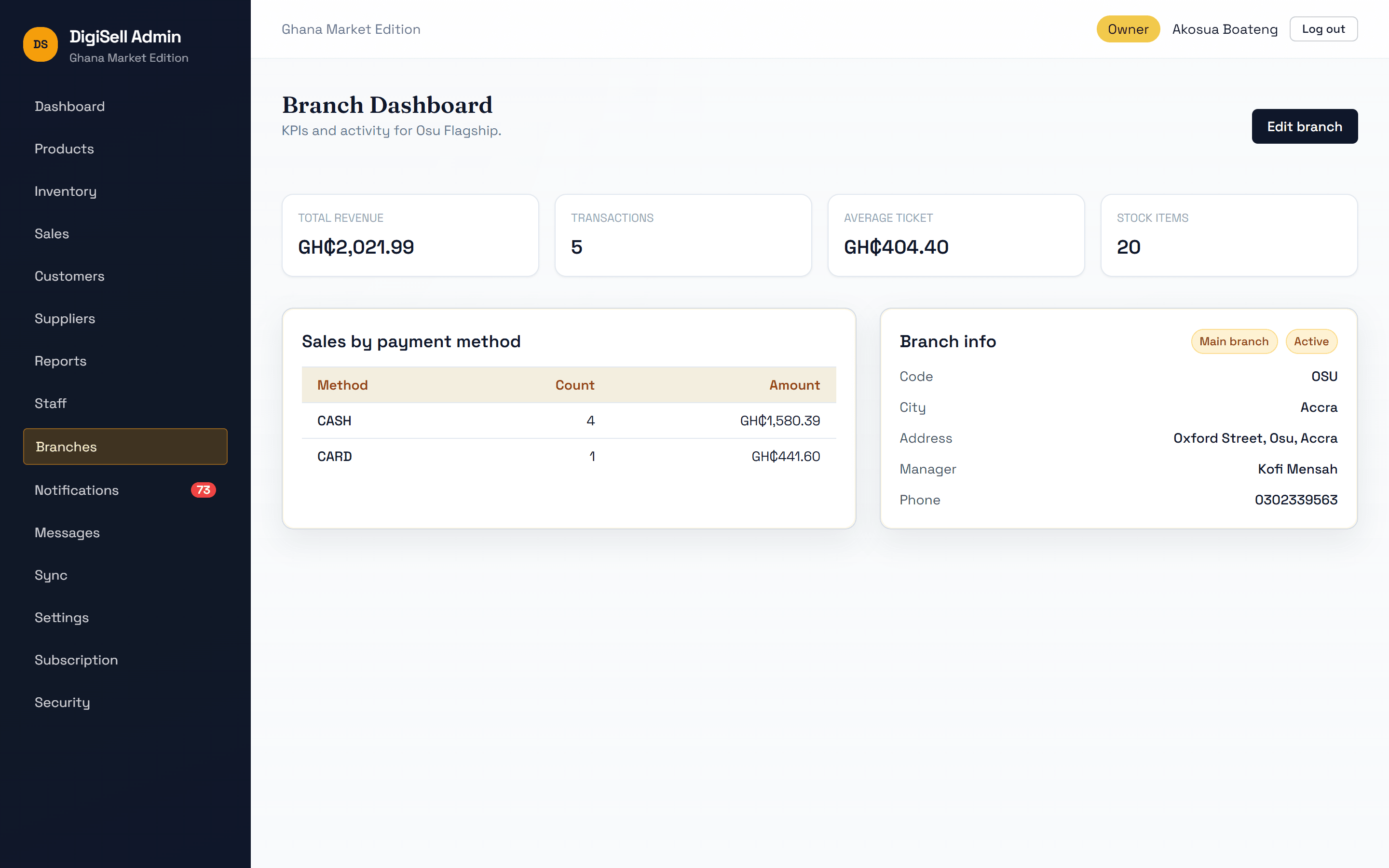
- Branches with manager, contact details and status
- A dashboard per branch, and the whole business combined
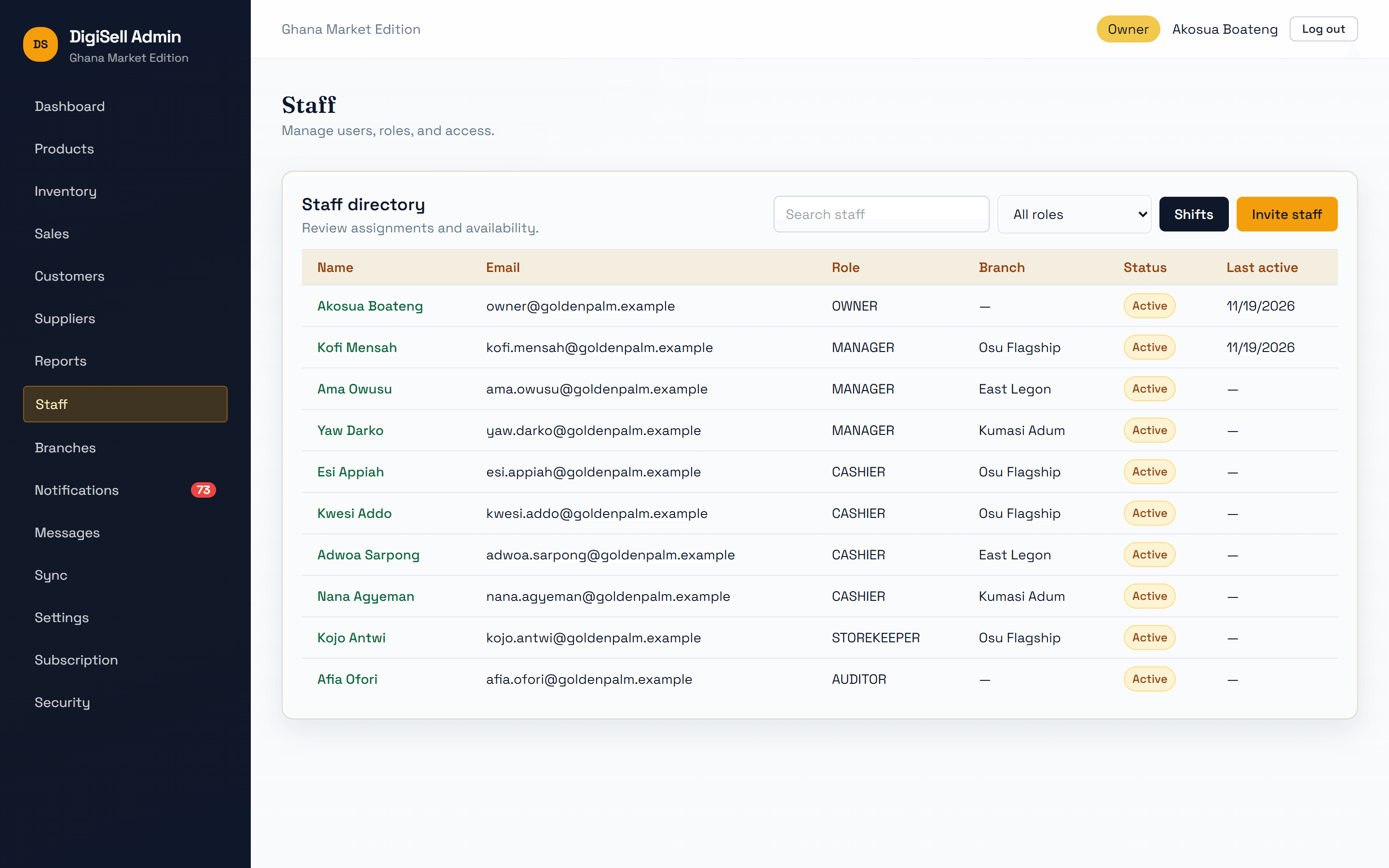
- Staff assigned to a branch; managers see only their own
- Stock per branch, with transfers between branches
Reports & Analytics
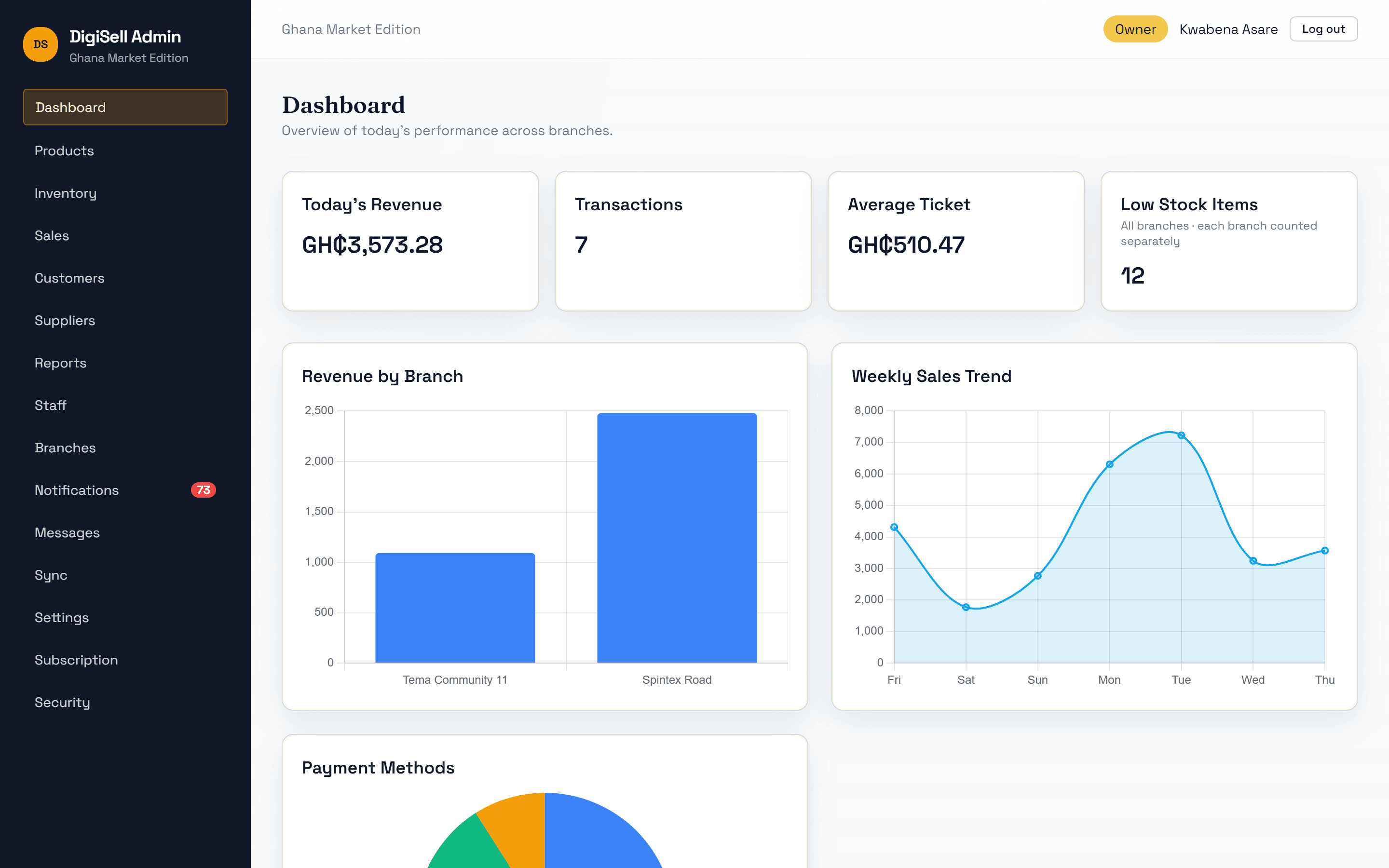
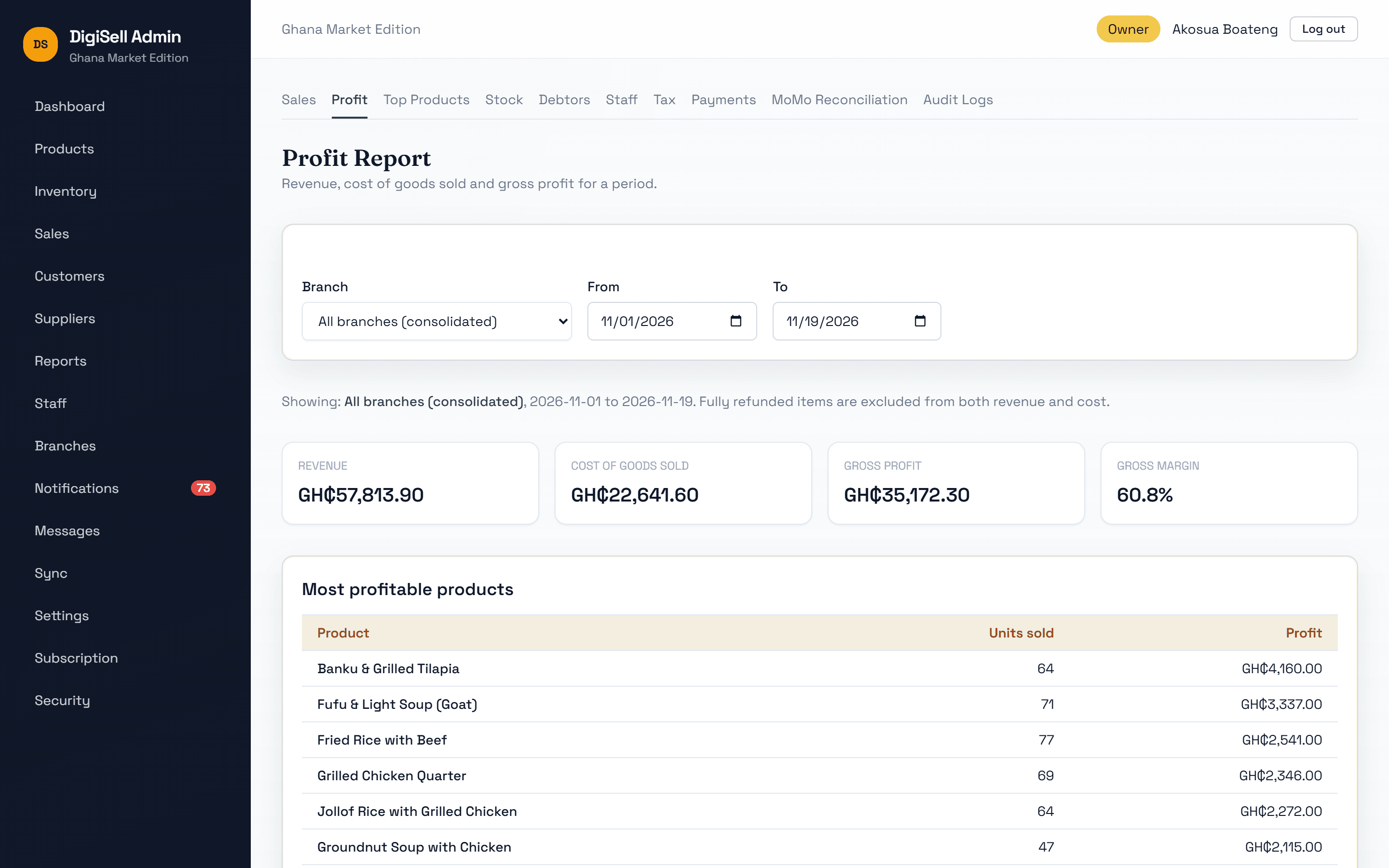
Live dashboards and reports for any period, one branch or all of them.
Why it matters: Decide with today's numbers, not last month's guesses.
- Dashboard with today's revenue, transactions, average ticket, revenue by branch and sales trend
- Sales, profit and margin, top products, stock analytics, debtors, staff performance, tax and payments
- Mobile money reconciliation and audit log
- Export reports to Excel
Users & Access
Every person gets their own sign-in and a role that decides what they can do.
Why it matters: Staff can do their job, and only their job.
- Roles: Owner, Manager, Cashier, Storekeeper and Auditor
- PIN sign-in at the till; manager approval for discounts and refunds
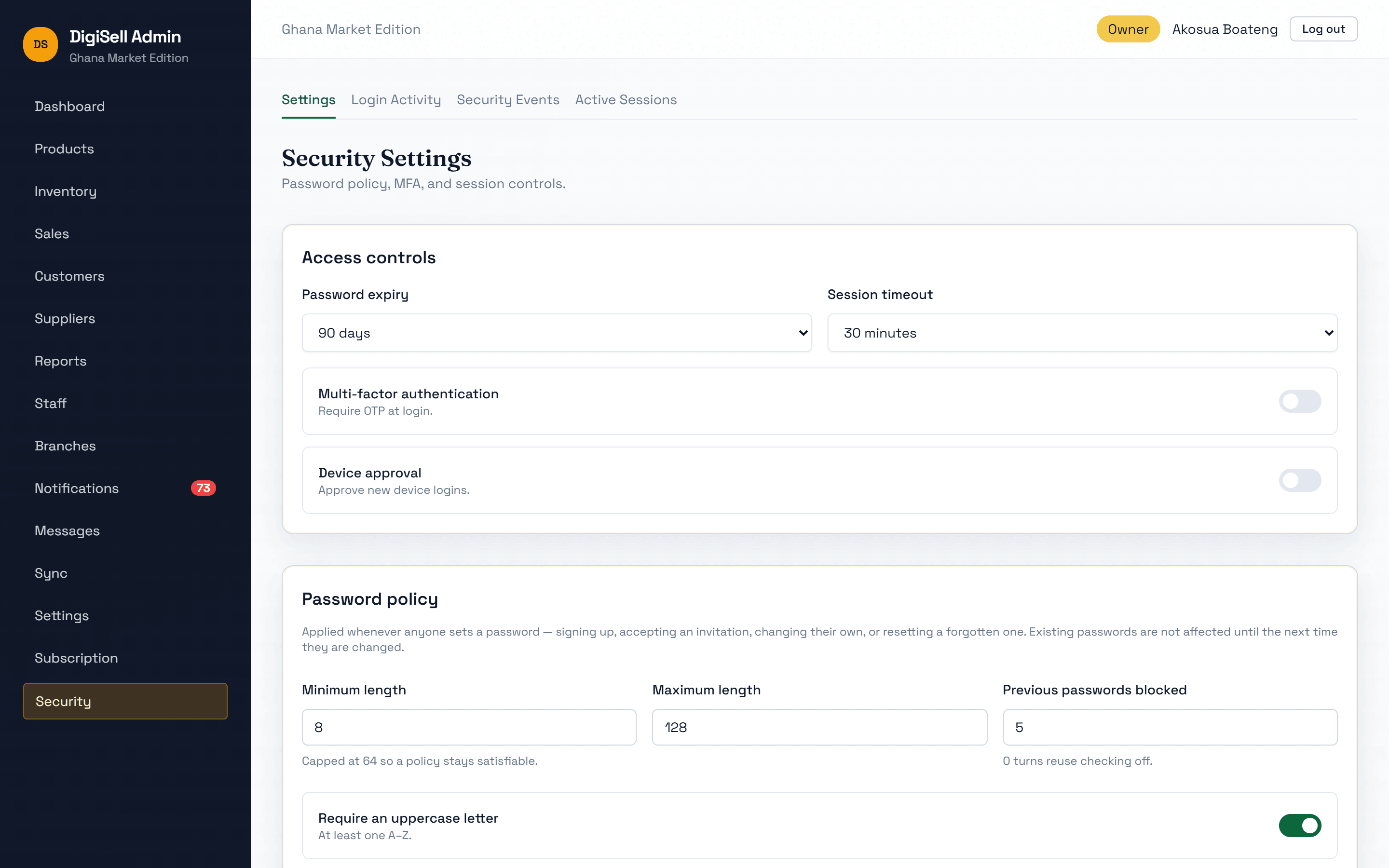
- Password policy, session timeout and two-step sign-in for the back office
- Audit log of who did what
Tax & Settings
Business details, receipts and tax set once in the back office and applied everywhere.
Why it matters: Every till charges the same tax and prints the same receipt.
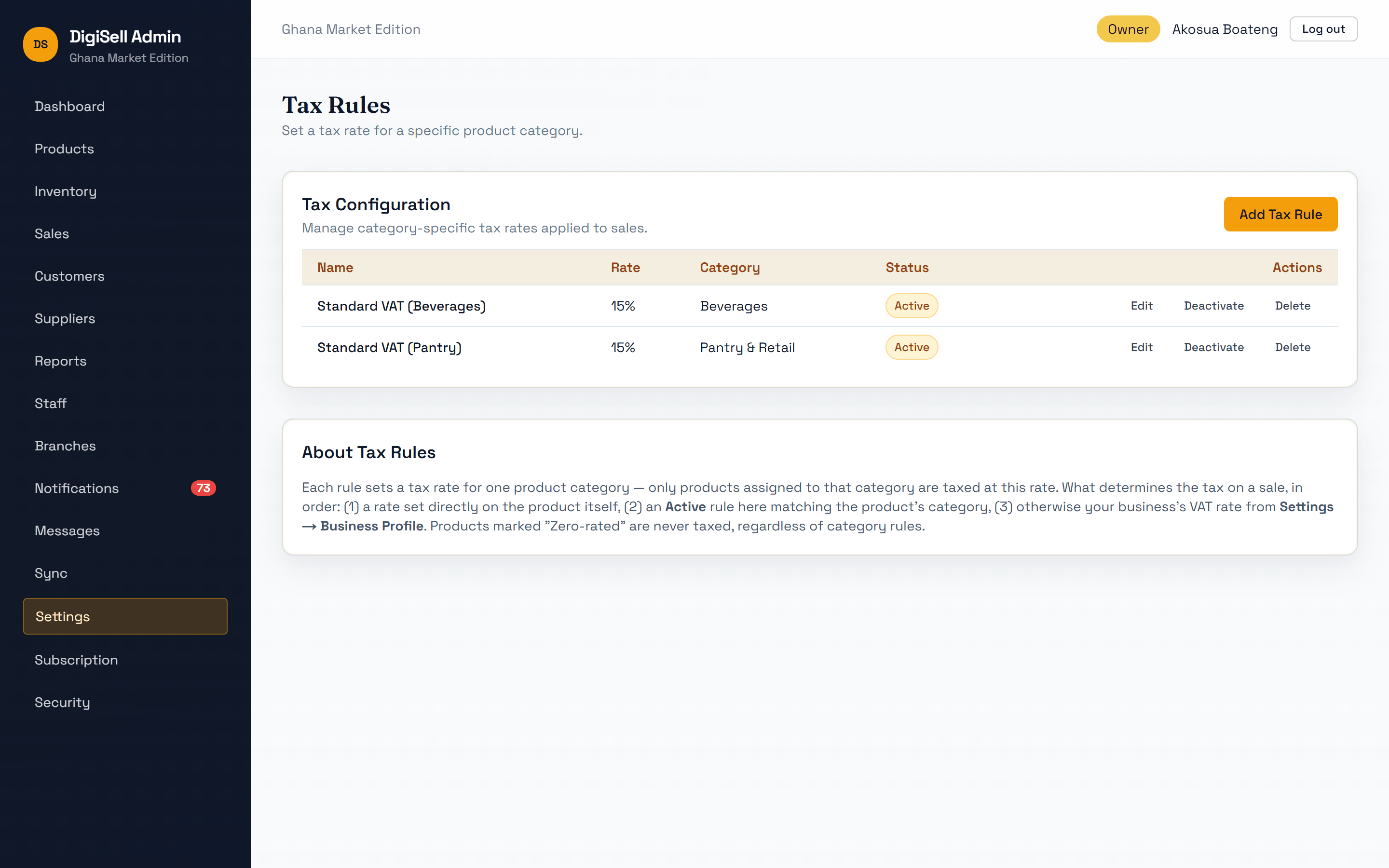
- A default VAT rate, with rules per category or per product
- Zero-rated products never taxed
- Tax shown line by line on the cart and receipt
Inside the application
Every screen, unedited
Real screenshots of DigiSell running two fictional demo businesses: a mini-mart and a restaurant. Select any screen to enlarge it and zoom in.
See DigiSell with your own products
Tell us about your business and we'll walk you through DigiSell set up for your kind of products, branches and staff, at your premises or online.